Learning Objectives and Performance Gaps
Last updated 7 months ago
Open this article in a separate tab
Welcome to your first step in creating compelling scenarios!
I'm sure you're ready to dive in and get your characters talking - bringing those conversations to life. I get it. But here's the thing: this first step IS part of that creative process.
What you do here will make your dialogues practically write themselves.
You'll see exactly how your Performance Gaps transform into those pivotal moments where your characters challenge learners to make better decisions.
Let's turn those insights into powerful learning experiences.
Getting Started
When you create a new module, you'll see this orange button:
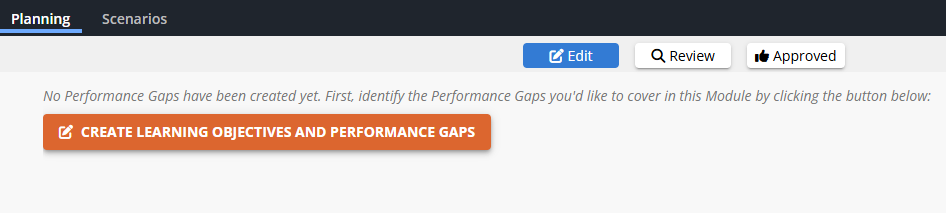
Click it to enter the Content Library - where you'll create elements that can be used across all your scenarios.
Learning Objectives: Your Module's Goals
Learning Objectives are the overarching goals for your module. You might have just one for a focused module, or several for complex scenarios that cover multiple topics.
Click CREATE NEW LEARNING OBJECTIVE
Add a Title like "Master difficult customer conversations"
Add a Description for analytics reporting
💡 All performance gaps are mapped to these Learning Objectives as a way to organize the Analytics.
Performance Gaps: Where Scenarios Come to Life
The Secret: Each Gap Creates One Decision
Here's how it works: every Performance Gap you create becomes one decision point in your scenario. The gap defines everything - the situation, the choices, even the coaching feedback.
Creating Your First Performance Gap
Click CREATE NEW PERFORMANCE GAP and let's build something great.
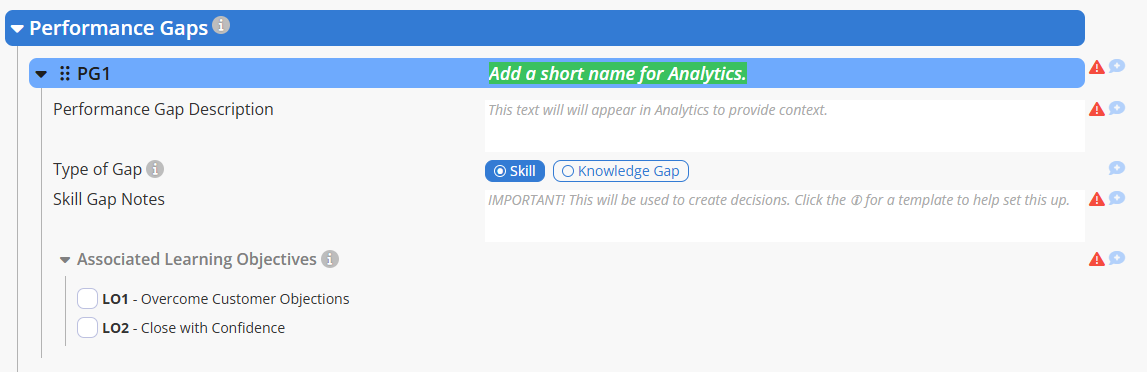
Title: Focus on the behavior you want to change.
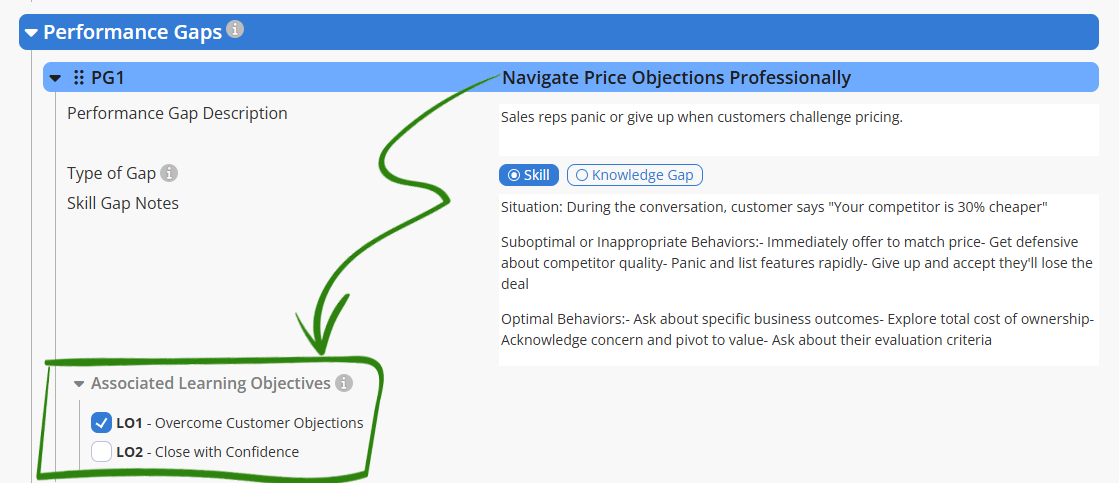
Example: "Navigate Price Objections Professionally"
Description: A brief statement for analytics.
Example: "Sales reps panic or give up when customers challenge pricing."
Gap Type: You'll mostly use Skill Gaps.
The Fun Part: Gap Notes
This is where you capture the real stuff - what actually happens out there. Talk to your subject matter experts, your best coaches, anyone who sees the difference between top performers and everyone else.
For Skill Gaps, use this template:
Situation: Describe the specific situations where learners fail to apply knowledge optimally.
Suboptimal or Inappropriate Behaviors: List what they're doing now instead of the optimal behaviors. (These can be hard to pin down, but they're important.)
Optimal Behaviors: List what they should be doing, or what top performers do.
💡 Ask the experts WHY some behaviors are optimal, and WHY others are not.
Their nuanced feedback for different choices creates fantastic coaching, to foster “aha” moments for learners. This is what makes AliveSim feel like working with a mentor, and not taking a test.
See the Magic Happen
Watch how your Performance Gap creates the entire experience:
Example - Customer Price Challenge
Associate with Learning Objectives (Last Step!)
Link each Performance Gap to the relevant Learning Objective(s) - required for analytics.
What's Next: Module Planning
After creating your Performance Gaps, you'll return to the Planning section where you'll see them all listed:
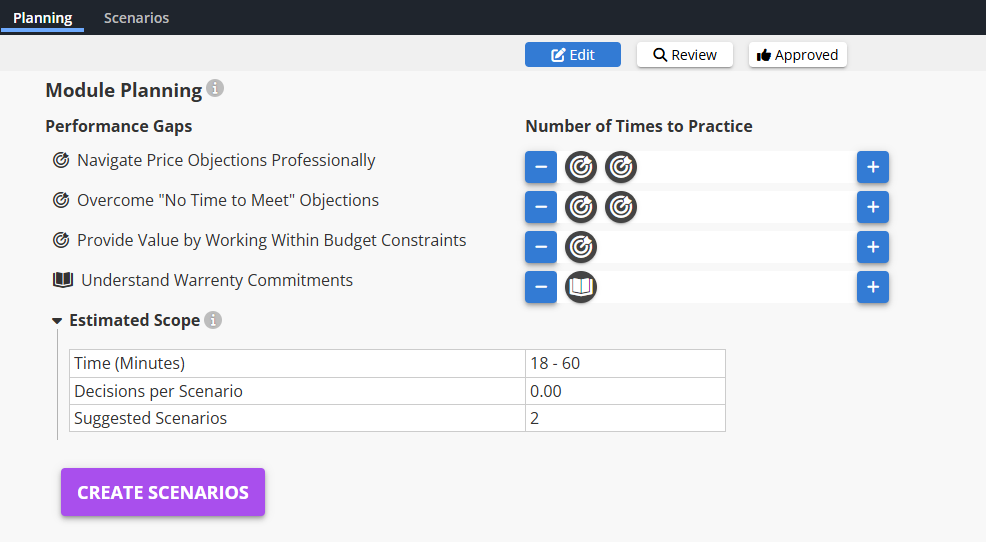
🎯 Skill Gaps become your decision points - where performance changes happen.
📖 Knowledge Gaps become key insights shared through conversation.
Next you can organize them into one or more scenarios within your module.
Your Action Items
Create your Learning Objectives (1-4 depending on complexity)
Create 2-3 Performance Gaps, one for each situation-decision you want to cover
Fill in Gap Notes with multiple behaviors for each category
Link gaps to appropriate Learning Objectives
Head to Module Planning to map out your scenarios
Ready to Roll?
You've just designed the foundation of your scenarios. Each Performance Gap will become a realistic decision where learners discover multiple good approaches - just like your top performers do every day.
Next up: turning these gaps into actual scenes with characters and conversations. But first, appreciate what you've built - you've captured the nuanced reality of expert performance. That's powerful.
Powered by Syandus Immersive Learning Technology