Module Planning
Last updated 7 months ago
Open this article in a separate tab
Let's Plan Your Module!
This section was created to help you quickly define the scope of your module.
How many scenarios will you need?
What should you cover in each one?
This Module Planning section will help you figure that out. Ready?
The Strategic Choice: Depth vs Breadth
The planning interface helps you make the fundamental design decision:
Depth Strategy: Take fewer Performance Gaps and give learners multiple opportunities to practice each one in different situations. This builds mastery through varied contexts.
Breadth Strategy: Address more Performance Gaps with single instances each. This provides broader coverage of different skills and knowledge areas.
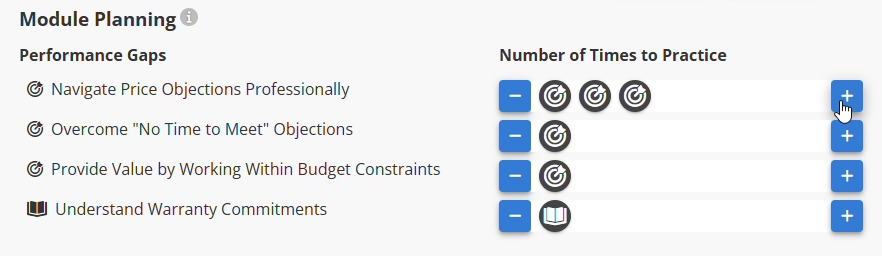
Understanding the Icons
Skill Gaps (🎯): Learners experience how to apply knowledge in realistic situations with built-in coaching.
Knowledge Gaps (📖): Information or understanding gaps that can be addressed through well-constructed dialogue and assessment.

Adding Practice Opportunities
The Interface Shows Your Options: Each Performance Gap gets a "+" button. Click it to add more instances if you want depth. Leave single instances for breadth coverage.
Adding more opportunities to practice in different situations = depth. Click the "+" button next to any Performance Gap to add more instances. Each click adds another practice opportunity for that gap in a different context.
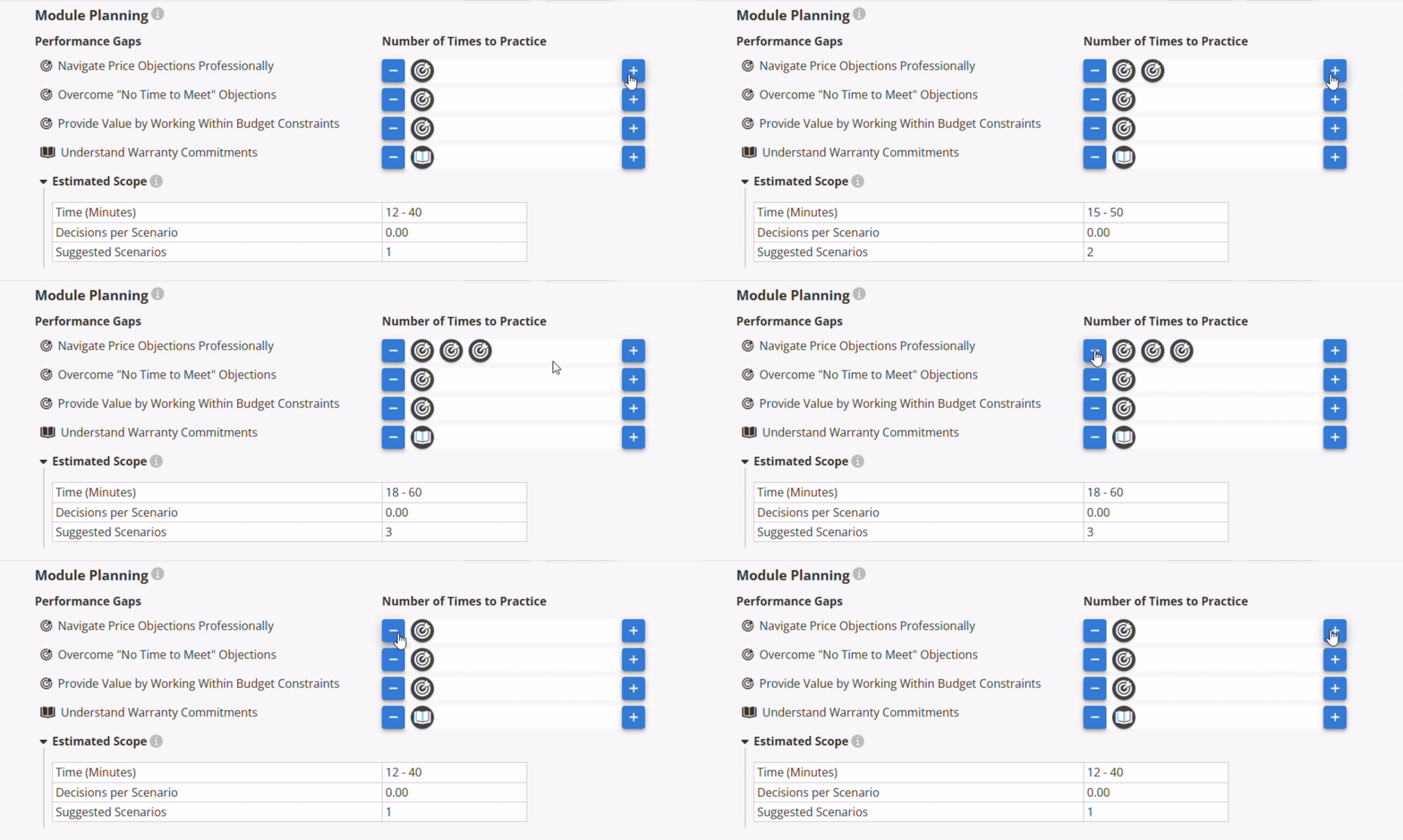
Different contexts help learners recognize patterns and transfer skills to real situations.
How Many Scenarios to Create?
Once you've decided on your depth vs breadth approach, click "CREATE SCENARIOS" to generate placeholder scenarios.
The number of scenarios you'll need depends on two things:
If you have a lot of Performance Gaps, you'll probably want to spread them across multiple scenarios
If you're going with a depth strategy, you'll likely practice each gap in a new situation in a new scenario, so you'll distribute over multiple scenarios
Bottom line: More breadth (lots of Performance Gaps) OR more depth means you'll need more scenarios.
💡Smart Tip: If some Performance Gaps seem to be off topic, consider creating another module for them.
Organizing Into Scenarios
Now comes the strategic part - drag Performance Gap instances from the top section into the scenario spaces below.
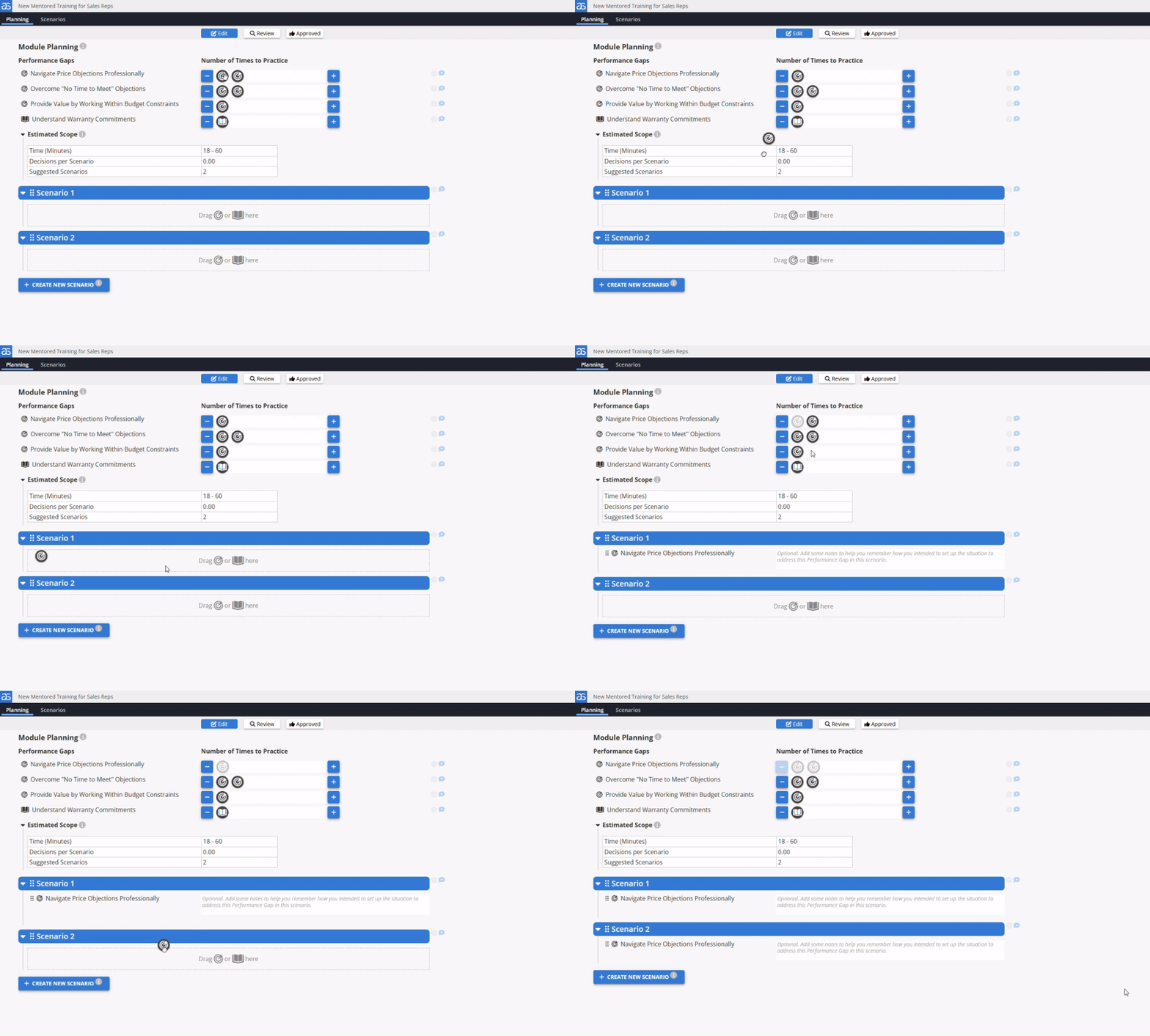
The drag-and-drop process: As you drag instances into scenarios, a grayed-out version stays behind so you can track your original plan. You can organize by Learning Objective or difficulty level, or distribute based on your depth vs breadth strategy.
You can always rearrange later using the grab handles. The interface makes experimentation easy because good planning often involves iteration.
Ready to Move to Scenarios!
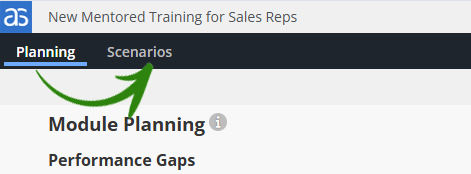
Once your Performance Gaps are distributed across scenarios, click "Scenarios" in the black navigation bar to start building your interactive experiences.
What you've accomplished: You now have a strategic module structure with clear learning targets and realistic scope. This foundation makes the creative work ahead much more focused and efficient.
Ready to build? Your strategic foundation is solid. Time to bring those scenarios to life.
Powered by Syandus Immersive Learning Technology